
Email & Inbox Message Management Ultimate Solution 2026
If you are a business owner, consultant, or team lead getting 100 or more emails a day, you already know the feeling. The moment you open your inbox in the morning, your energy starts dropping before the first meeting. A client email sat for four days. A vendor follow-up got buried. A partnership request disappeared into the noise.
This is not a time management problem. It is an inbox system problem and there is a practical solution.
We offer a professional email management virtual assistant service for people who cannot afford to miss anything important. We take over your inbox and handle everything.
Professionally Managed Inbox Drives Business Opportunities
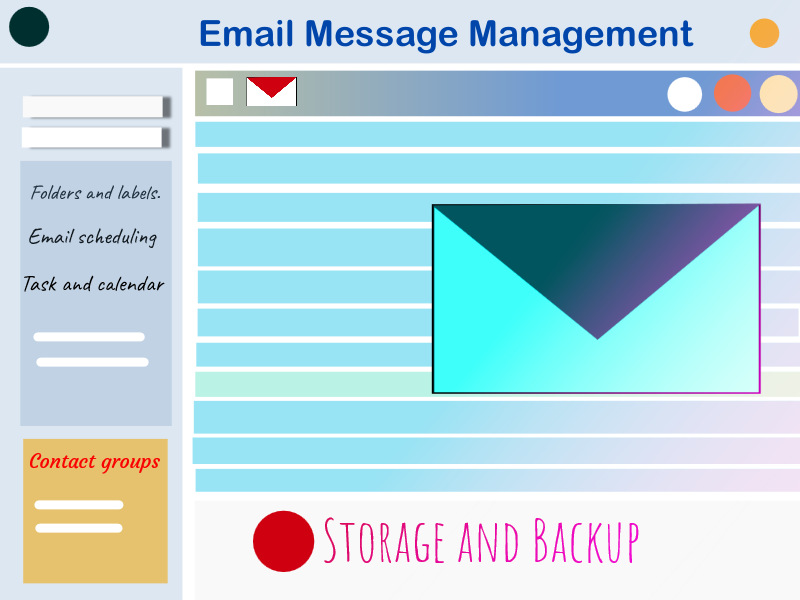
Every unanswered business email is either a missed opportunity, or a delayed deal. A backlog of 2,000 emails becomes 5,000. The habit of avoiding the inbox becomes permanent.
Whether you need a short-term backlog cleanup or a long-term inbox delegation arrangement, we have handled both and we know what works.
When your inbox is managed properly, you stop losing deals to slow responses. You stay on top of your business relationships without spending hours each day doing it yourself.
This consistency builds trust within your customers, clients and business partners. Clients notice when you reply on time. Prospects starts to believe that the business is organized and dedicated
Our Intelligent Inbox Management Process
Most inbox services sort your emails only but we go further. Every email that lands in your inbox is analyzed to find its relevance and how it can provide value to your business. That is what our Inbox Intelligence System does. It is not just another inbox administration.
Here is what that looks like in practice.
Priority-Based Email Filtering and Sorting
We analyze every incoming email and check its business importance. A potential client enquiry rises to the top. A routine vendor update goes to its folder. Newsletters get separated from real correspondence. You only see what genuinely needs your attention.
This is an advanced sorting technique.
Real example: A financial consultant was getting 180 emails daily with no separation between client messages and marketing mail. After one week of priority-based sorting, she was opening her inbox to 12 filtered messages instead of 180. She closed two deals that month she had previously missed because the enquiries were buried.
Business Lead And Opportunity Monitoring
Our associates reviews each email business intent. When an email signals a potential client, a referral, or a partnership conversation, we mark it separately with a note on why it matters.
Real example: A real estate company with two agents was getting 90 to 110 emails daily. Three genuine buyer got silent in a single month because no one spotted them in time. We set up intent-based monitoring so every enquiry was flagged within the hour it arrived. Over the next six weeks the agency responded to 100 percent of inbound leads the same day. Two converted to listings within that period.
Custom Email Labeling And Folder Structure
We create a folder and label system from scratch around how your business works. Clients, vendors, invoices, contracts, active project threads, each in its own place. Finding any email takes seconds. Because the system fits your workflow rather than a generic template, it stays useful long term.
Real example: A law firm manager had a single inbox shared across three case types and four staff members with no labels at all. Searching for a specific thread took an average of 11 minutes. We built a three-tier folder system with labels per case category. Within two weeks the team was finding any email in under 90 seconds.
Inbox Accountability Tracking for Busy Professionals
Tasks, deadlines, and commitments hide inside long email threads. We pull them out and log them clearly. If someone asked you a question, requested a file, or confirmed a meeting inside an email, that item gets tracked until it is done.
Real example: A business coach was missing client document requests buried inside long reply chains. We introduced a daily action log drawn from his inbox and sent to him before 9am every morning. Every open request and deadline was listed in one place. He called it a second brain for his inbox.
Unanswered Email Tracking and Resolution Monitoring
We track every thread that needs a reply and stay on it until there is a clear outcome. If someone has not responded in 48 hours, we flag it or send a follow-up on your behalf. If a client goes quiet after a proposal, we notice. If a vendor has not confirmed a delivery, we track it.
Real example: A digital marketing agency had sent proposals to seven potential clients over three weeks and followed up with none of them. We sent a short second message to each within 72 hours. Three replied. Two became paying clients that month.
Systematic Email Backlog Cleanup
Our experts execute a full inbox audit, sort what matters, archive what does not, and hand you back a clean organized inbox within 48 hours. The Inbox Intelligence System then runs on top of that clean base going forward.
Real example: A recruitment director came to us with 11,200 unread emails across four years. She had stopped using email entirely and was managing her business through WhatsApp. We initiated a thorough audit & found that 25 emails required immediate response and delivered a fully organized inbox. All backlogs were removed. She was back using email as her main communication tool within a week.
Advanced Spam Filtering And Mailbox Noise Removal
Our mailbox managers go beyond the default spam folder. We unsubscribe from lists you no longer need, block senders who waste your time, and make sure the noise does not come back. After two weeks, your daily email volume drops noticeably and our monitoring of what matters becomes sharper.
Real example: An HR consultant was receiving 140 emails a day. A two-week audit showed 83 of those were newsletters, cold pitches, and promotional mail. We unsubscribed from 61 lists, blocked 14 recurring senders, and set auto-filter rules for the rest. His inbox dropped to 54 real emails a day.
Prompt Customer Message Response And Business Communication Management
Our professional inbox specialist handle customer and client replies in your tone and your language. Order confirmations, delivery questions, return requests, basic customer queries, invoice acknowledgements, vendor replies, all handled professionally without you opening a single thread. You review anything that needs your direct sign-off before it goes out.
Real example: An ecommerce store selling handmade homeware was getting 60 to 90 customer emails a day, mostly order status questions, delivery follow-ups, and return requests. The owner was spending three hours on replies and still falling behind. We took over all first-response correspondence using templates written in her brand voice. Response time dropped from 19 hours to under 2 hours. The following month three customer reviews specifically mentioned how fast and helpful the communication was.
Updating Weekly Inbox Intelligence Reports
Every week you receive a short written summary covering what came in, what was handled, what is still open, and what opportunities or risks surfaced that week. It takes two minutes to read and gives you a clear picture of your communication health without opening a single thread yourself.
Real example: A business owner running two companies from one inbox had no visibility into whether important conversations were being resolved. After four weeks of weekly reports, he noticed that 70 percent of his unresolved threads were coming from one supplier who was consistently vague in replies. He restructured that relationship entirely based on what the reports showed him.
Complete Email Backup Solution
Many clients come to us with thousands of old emails which they cannot delete. Some are billing records. Some are proof of work. Some are client conversations they may need to refer back to. But the sheer volume is making their inbox slow, bloated, and hard to search.
So our support associates strategically back up your entire email archive to a secure location you choose. Your live inbox is then cleaned and organised so it runs properly. When you need something from the old archive, whether it is a contract from three years ago or a client message from last year, we upload it back quickly so you can find it without any hassle.
You get a clean inbox today and your full email history available whenever you need it. No stress about deleting something important. No storage problem. Just a system that works.
How A Dedicated Inbox Specialist Outperforms AI In Inbox Management
AI tools for digital mailbox management have improved significantly. Some of them are genuinely useful. But there is a gap between what they can do and what a business inbox actually needs, and that gap is where most people run into trouble.
Here is an honest look at both sides.
Real Strength Of AI Tools In Email Handling Operations
AI tools are fast at pattern recognition. When you feed proper instruction asper your requirement it can sort emails by checking the parameters you already given, and generate replies. For high-volume, low-complexity inboxes, that kind of automation saves real time.
If you are dealing with transactional emails, automated notifications, or high-volume customer queries that follow a predictable pattern, AI-assisted sorting can handle a meaningful portion of the load.
Limitation Of AI Tools In Structured Email Handling
Intelligent tools can scan words in an email and create a reply based on that. But actual understanding what someone actually means is another. AI can process every sentence in an email perfectly and still miss the real point entirely. It will not notice that a contact who normally sends routine updates is actually raising a quiet complaint through their message, which needs careful handling before it turns into something bigger. It will not catch the shift in tone. It will not recognize that a one line reply from your most important partner is the kind of thing that deserves a real, personal response rather than something automatically send back.
It is imperative to understand the exact background of an email before creating a reply. Artificial software do not understand the real essence of an email when a person sends a casual Friday message but has a contract renewal sitting three weeks away. The tool handling your inbox won’t be able to analyze like a human.
Then there is the reality that someone writes asking for your thoughts when you get a chance. Intelligent tools will determine this message as low priority check in with no urgency behind it, but on the hindsight it could be a client quietly telling you they are starting to have second thoughts about working with you. Knowing which one it is takes business sense and an understanding of the relationship. Neither of those things can be detected by scanning for keywords.
Tone matters more than most people admit. AI generated replies have become more polished over time, but they still lacks the human touch. A response that feels a bit too formal, a little too structured, or too generic sends a quiet signal to the person reading it. Clients who are paying for a relationship, not just a service, notice that signal even if they never say so out loud.
Maintaining Privacy While Overseeing Every Inbox
Giving someone access to your inbox is a significant decision. We take that seriously. We keep everything very secured. Here is exactly how we handle it.
You control what we see. Before we begin, you tell us what is off limits. Those emails go to a private folder only you can access. We set filter rules so they never appear in our view. We do not open, move, or respond to anything outside the agreed scope.
We never ask for your password. We use delegate access only, a standard feature in Gmail and Outlook that lets us manage your inbox without knowing your login credentials. You grant it in a few clicks and remove it just as easily.
When the engagement ends, access is gone. You revoke delegate access from your settings. After that we have zero access. We do not store copies of your emails, retain notes about your contacts, or keep any record of your correspondence.
One dedicated person handles your inbox. Not a team. Not rotating staff. The same VA who learns your priorities, your contacts, and your communication style. They do not share your information or use any third-party tool without telling you first.
From Overwhelmed To Organised: Our 5-Step Inbox Takeover Process
Step 1. Free 20-minute inbox assessment. We look at your current situation together on a call. Volume, backlog, priorities, what kind of support fits. No commitment needed.
Step 2. You set the rules. We document what you want handled, what to leave alone, your reply tone, and your daily priorities. This takes about 30 minutes and prevents months of misunderstanding.
Step 3. Your VA starts managing your inbox daily and applies our Inbox Intelligence System from day one. You receive a short morning briefing covering what was handled, what was flagged, and what needs your input.
Step 4. Weekly check-in. A quick 10-minute call every week to review what is working and adjust anything that needs it. The system gets better every week.
Frequently Asked Question
Below are the most common questions which most clients ask before they start:
Will My VA Understand My Business Well Enough To Manage Emails Properly?
Yes. Before we touch anything, we spend about 30 minutes with you going through your key contacts, priorities, and communication style. We document it and your VA works from that before starting. Most clients feel the VA fits naturally into their workflow by week three.
What If A Reply Goes Out Wrong?
Nothing sensitive goes out without your review first. For routine correspondence we use templates you approve before we begin. If something does go wrong, we fix it immediately and update our process to prevent it happening again.
Do I need To Share My Password?
No. We use delegate access, a built-in feature in Gmail and Outlook. You grant it in a few clicks and remove it just as easily. We never see your login credentials.
What Happens To My Emails When We Stop Working Together?
You can remove our delegate access from your settings. After that we have zero access. We do not store your emails, keep notes about your contacts, or retain anything related to your inbox.
Can You Manage More Than One Inbox?
Yes. We manage multiple inboxes under one engagement with clear rules for each account agreed during onboarding.
I have Years Of Old Emails I Cannot Delete. Can You Help?
Yes. We never delete without your approval. For large archives, we back them up to a location you control, remove them from the live inbox, and make them available to retrieve whenever you need them.
How Quickly Will I See A Difference?
Most clients notice the change within the first 48 hours. The inbox feels quieter, flagged messages are actually important, and the morning summary replaces the overwhelming scroll. A fully settled system takes about two to three weeks.
Which Email Platforms Do You Support?
Gmail, Google Workspace, Microsoft Outlook, Office 365, and most mainstream platforms that support delegate or app-level access. If you use something else, mention it on the assessment call and we will confirm before you commit.
What Makes This Different From Just Setting Up Filters Myself?
Filters sort by rules you set in advance. They cannot read intent, spot a lead in a casual message, notice a proposal has been ignored for a week, or write a reply in your voice. Filters manage structure. We manage meaning.
Can You Support My Team, Not Just My Personal Inbox?
Yes. We work with solo professionals and small teams. Shared inboxes, support queues, and multiple staff accounts can all be covered under one engagement with clear rules for who handles what.
Turn Your Inbox Into A Business Communication Tool
We will look at your inbox together, tell you exactly what we can do, and walk you through how the engagement works. So that you inbox remains always optimized and become a real powerful equipment which will eventually bring you more businesses. You have spent long enough managing email. Let us handle it.